Using the Template Editor
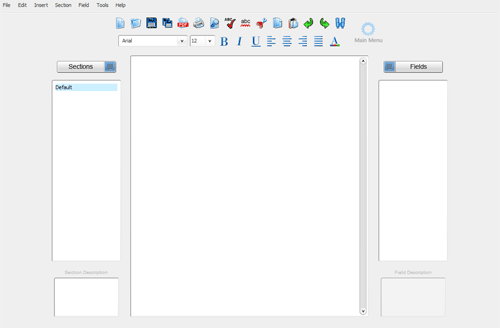
The template editor screen is divided into four areas: the toolbar, the section list, the field list and text window.
The toolbar provides shortcuts to frequently used commands such as opening files, printing documents and formatting text.
The section list contains a list of sections included in your template. These sections will serve as the foundation for any documents created with the template.
The field list contains a list of fields which are used to create custom documents from your template.
The document text window contains the body of each section in your template. Fields can be dragged into the text window.